
The customer-led flow for busy pubs, beer gardens, stadium concessions and hotel F&B — guests scan a QR at the table, order on their own phone, pay by Apple Pay or Google Pay, and the ticket lands in the kitchen before they've put the phone back in their pocket.
A Saturday beer garden with one server covering forty-two tables is a queue by 2pm. QR order & pay cuts the queue out of the picture: the guest is the server, the phone is the till, and the kitchen keeps firing while staff clear tables and run food.
Guest's own phone. No install. Apple Pay or Google Pay in one tap. Ticket fires to the bar and kitchen the moment payment clears — drinks on the bar screen, food on the kitchen screen, table timer running.
QR order & pay turns every table into its own till. The guest scans, the menu opens in their phone browser, they choose, they pay — all without anyone walking to the bar. The order lands on the right kitchen or bar screen instantly, course-aware, allergen-flagged, with modifier notes preserved exactly as the guest entered them.
No app download. No account required. No queue. No "table seven's still waiting to order".

Any phone camera opens a branded web page for your venue. Menu, basket, payment, receipt — all in the phone browser. No App Store detour, no account, no "download our app" friction.
Drinks on the bar screen, food on the kitchen screen, the second Apple Pay confirms. No "please wait for a server" delay. Staff are clearing tables and running food instead of taking orders.
Starters, mains and drinks route to the right screen exactly as they do from a server-led order. Course control, allergen flags, modifier notes — all identical to a till-entered order.
Payment through Stripe, one-tap on mobile. No card reader needed. Tips suggested in-flow and routed to the staff pool via Portal's tip-split — honest, transparent, trackable.
Second round? Same QR. Same table. New basket, new payment. No open-tab risk, no walkouts. For venues that prefer a running tab, pre-auth is one Portal toggle.
Peak Saturday with sixty covers firing at once? Portal throttles QR orders when kitchen make-time climbs past a threshold. The guest sees a realistic wait; the line stays honest.
Receipt emailed instantly. Optional loyalty sign-in earns points on the same order — one tap, no awkward "are you on our loyalty scheme?" from a server who already has three tables waving.
The QR page looks like your venue, not a generic ordering platform. Menu, imagery, modifiers and deals pull live from the same Portal menu that runs the website, app, kiosk and aggregators.
| Capability | Order at the bar | Generic QR platform | Andromeda QR order & pay |
|---|---|---|---|
| No app download | ✓ | Sometimes — some push an install | ✓ Web-only, always |
| Ticket lands on the right KDS instantly | After staff keys it | Often a separate system with sync lag | ✓ Same KDS as server-led orders |
| Same menu as website & kiosk | Separate | Usually a separate menu | ✓ One Portal, one source of truth |
| Allergens prompted in-flow | Relies on staff | Plain text disclaimer | ✓ Flagged live from Portal menu |
| Tips split into payroll automatically | Cash tin | Rarely | ✓ Portal tip-split |
| Throttles when kitchen is overwhelmed | ✗ | ✗ | ✓ Auto wait-time adjustment |
| Runs alongside server-led tables on same POS | ✓ (but no QR) | Two systems, two reports | ✓ One till, one floor plan, one set of totals |
| Payment fees | Card-terminal rates | Platform fee on top of card fees | ✓ Low transparent Stripe rates, no extra platform markup |
"The beer garden used to be the bottleneck. One server covering thirty tables, a forty-minute wait for a round, people walking out. We put QR codes on every table on a Friday, went live on the Saturday, and the afternoon trade doubled the following weekend. It's the single highest-leverage thing we've turned on."
QR order & pay lets guests scan a QR code at the table, browse the menu on their own phone, choose what they want, and pay — all without flagging down a server or queueing at the bar. The ticket lands on the kitchen and bar screens the second payment clears, so the team is assembling the order while the guest is putting their phone away.
No. The QR opens a web page branded as your venue. The whole flow — menu, modifiers, basket, payment, receipt — runs in the phone browser. No install, no account, no friction. Guests who want to keep a loyalty balance can sign in with email or Apple/Google, but it's optional.
Yes. Food goes to the kitchen KDS, drinks to the bar screen, each item to the correct station — exactly like a till-entered order. Course firing, allergen flags and modifier notes all carry through. The kitchen doesn't know or care whether the order came from a server, a kiosk or a QR scan.
They scan the same QR again — or keep the tab open in their browser — and add another round. Payment is taken each round, so there's no open tab risk and nobody walking out without paying. For venues that prefer a tab model, we can enable that too, with a pre-auth on the card at the first order.
Emailed automatically the moment payment clears. Optional paper receipt at the bar for anyone who asks. Tips are captured in-flow — suggested percentages and a custom option — and go to the staff pool through the integrated payroll split in Portal.
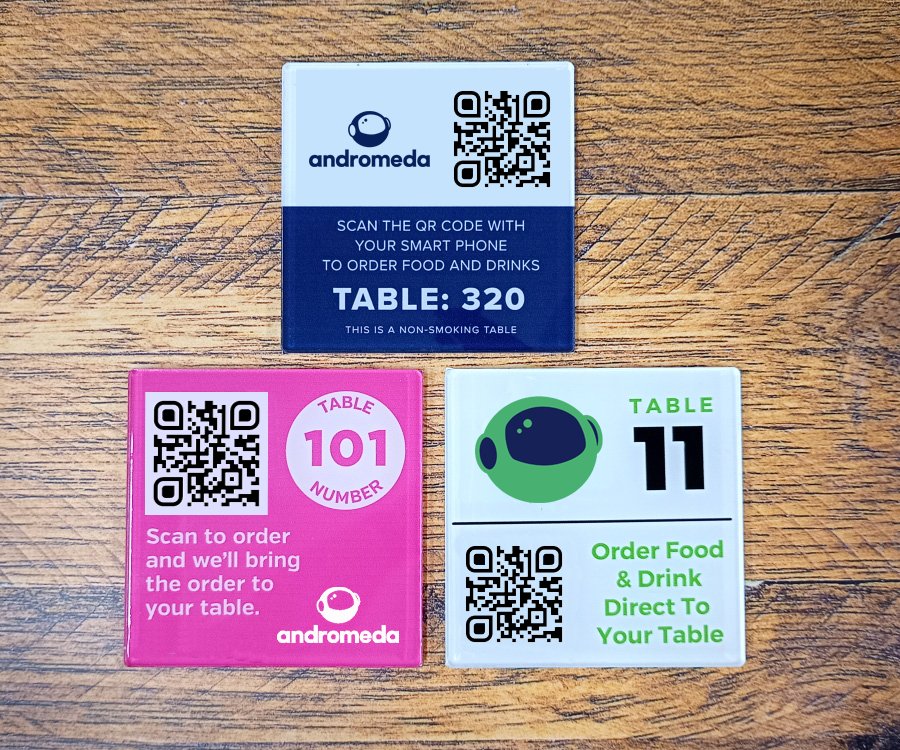
Just printed QR codes on each table — vinyl, laminated card, table-talker, coaster, whatever suits the room. The orders route to your existing KDS, bar screen and receipt printer. Payment is processed through the Stripe account Andromeda sets up for you on day one of implementation.
Book a 30-minute demo and we'll walk you through QR order & pay on a venue like yours — live kitchen routing, Apple Pay in-flow, and a realistic Saturday-afternoon throughput model for your covers and staff.
Book a demo